






Skip to content
GeoMont app icon: a letter G made of steel pipe, with a pressure gauge, on an orange background

GeoMont

Mobile app · calculates without signal

Shop-floor math for pipefitters, boilermakers and welders.

A mobile app, Android first with iOS planned. The math runs on your phone, with or without signal; you need a connection to sign in to your account. In four languages (Spanish, Dutch, English and French) and in metric and imperial units.

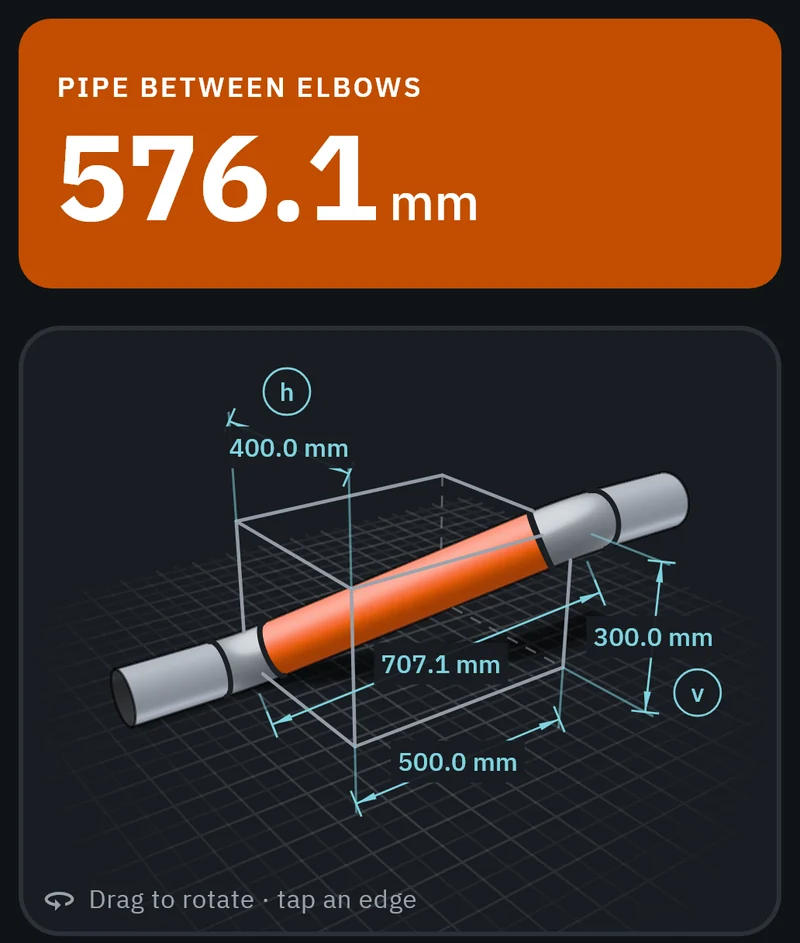
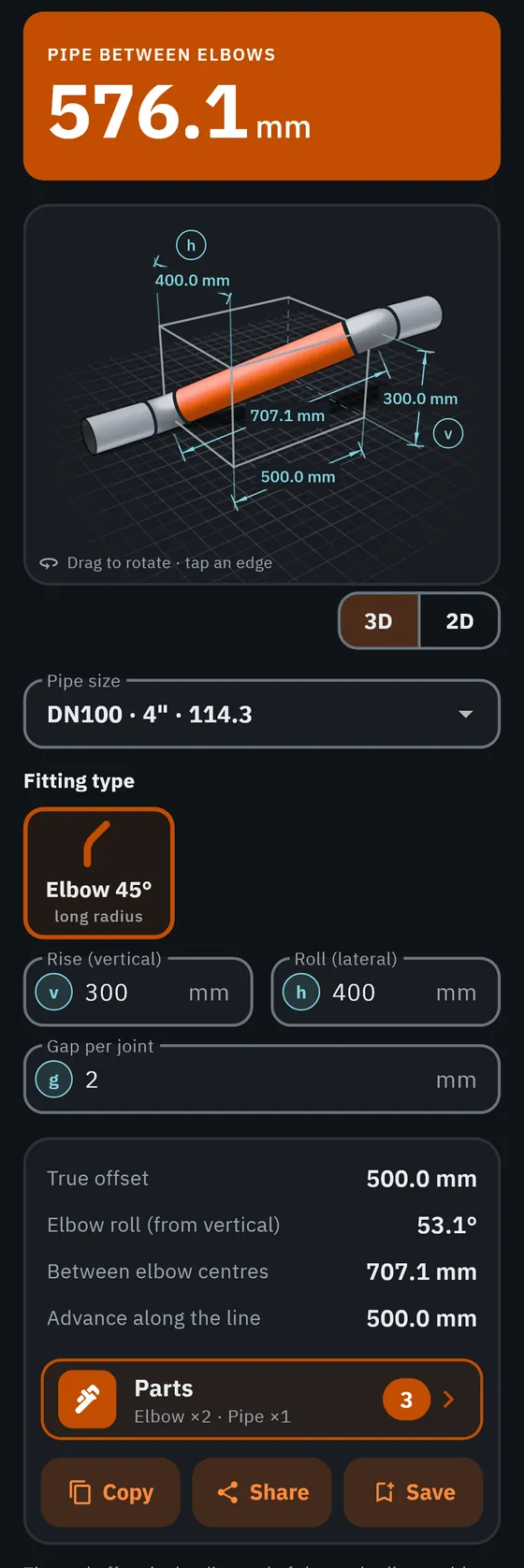
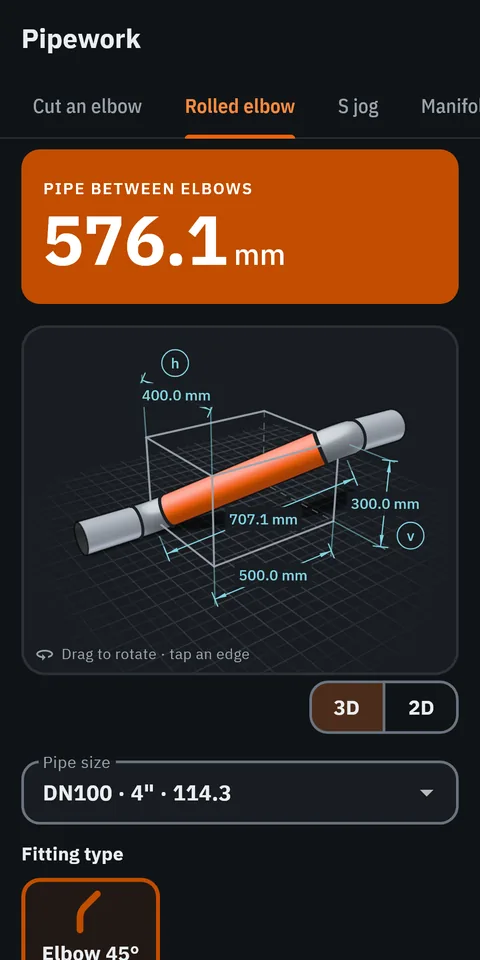
GeoMont screen “Pipework · Rolled elbow”, dark theme: a pipe between two 45° elbows in a 3D box with its dimensions, and the result, pipe between elbows.
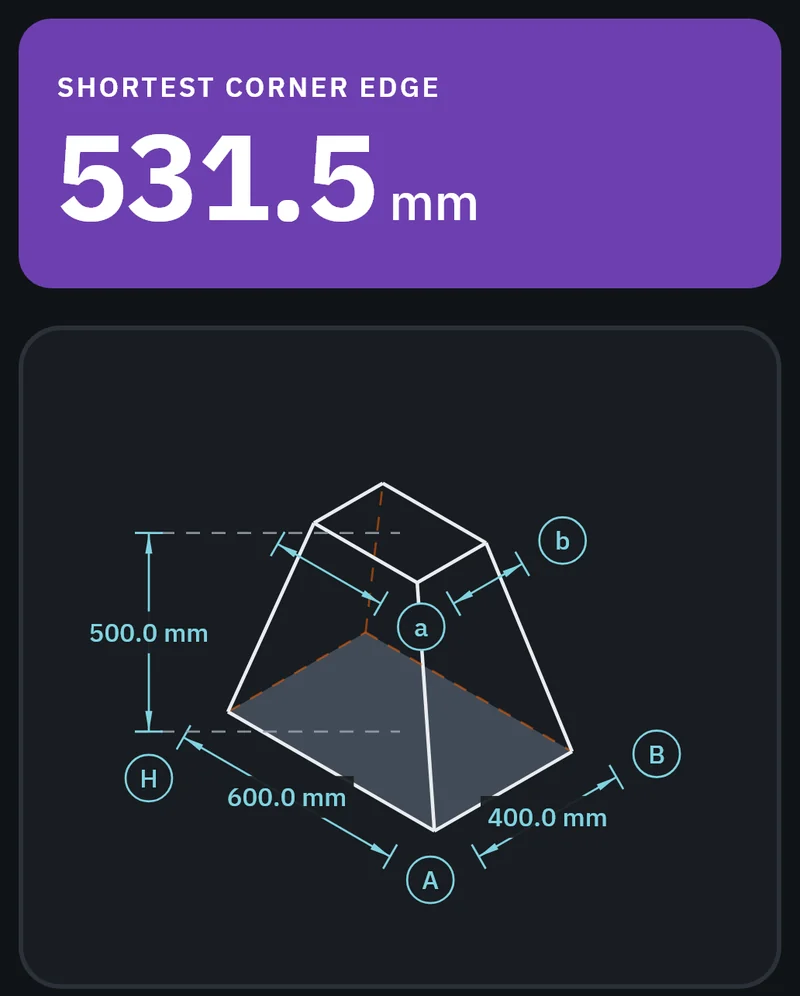
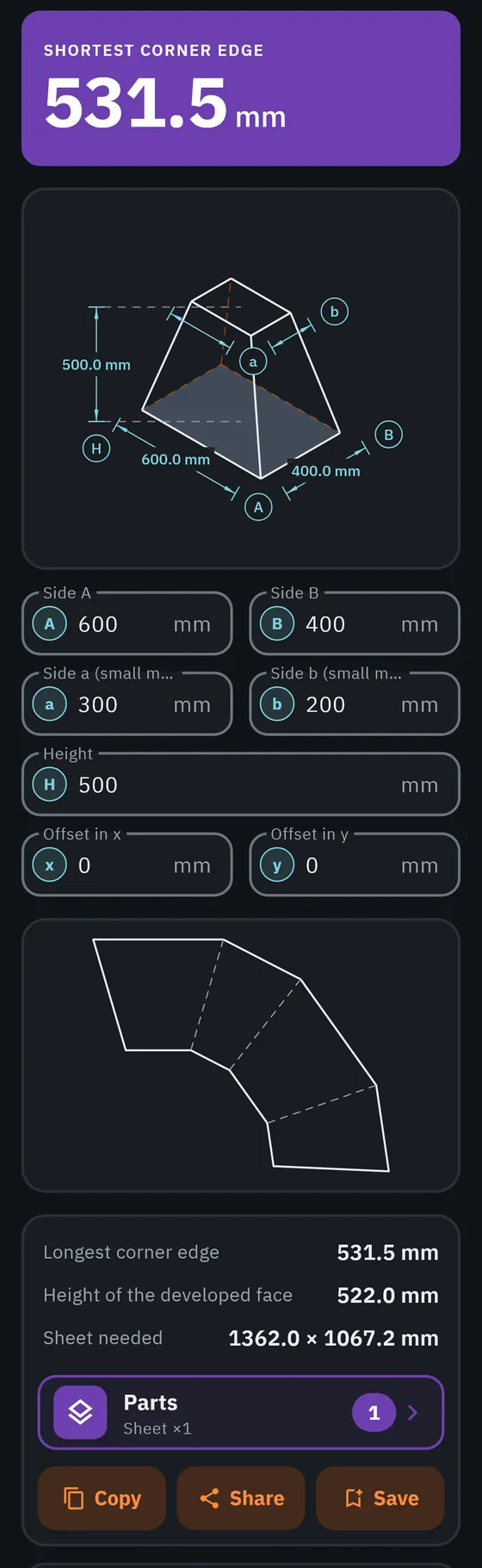
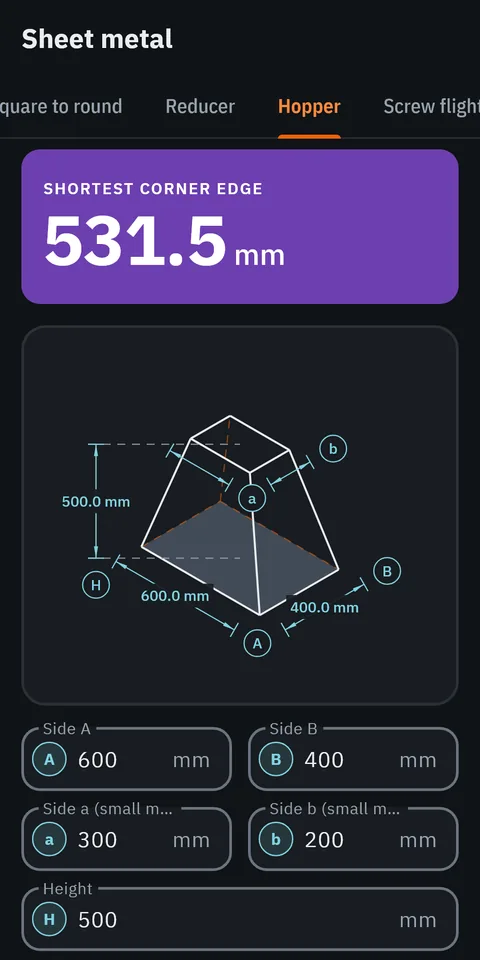
GeoMont screen “Sheet metal · Hopper”, dark theme: a hopper drawn in perspective with its dimensions, and the result, shortest corner edge.
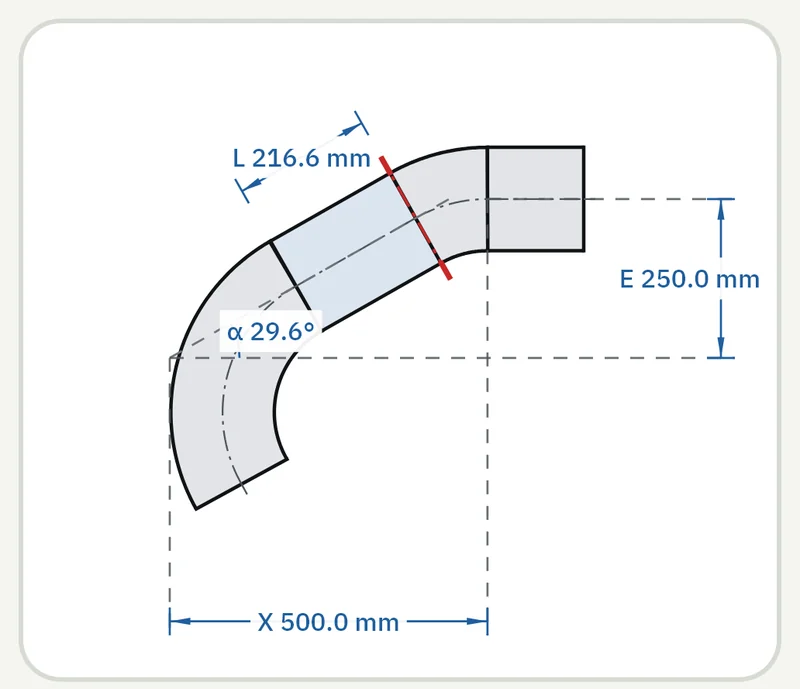
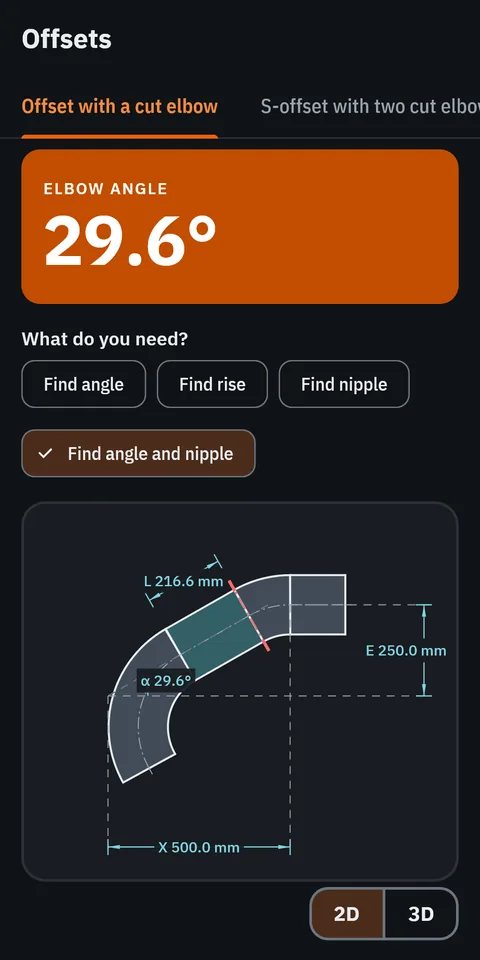
GeoMont screen “Offsets · Offset with a cut elbow”, dark theme: an offset made with a cut elbow, drawn with its angle, its nipple, its rise and its advance, and the result, elbow angle.
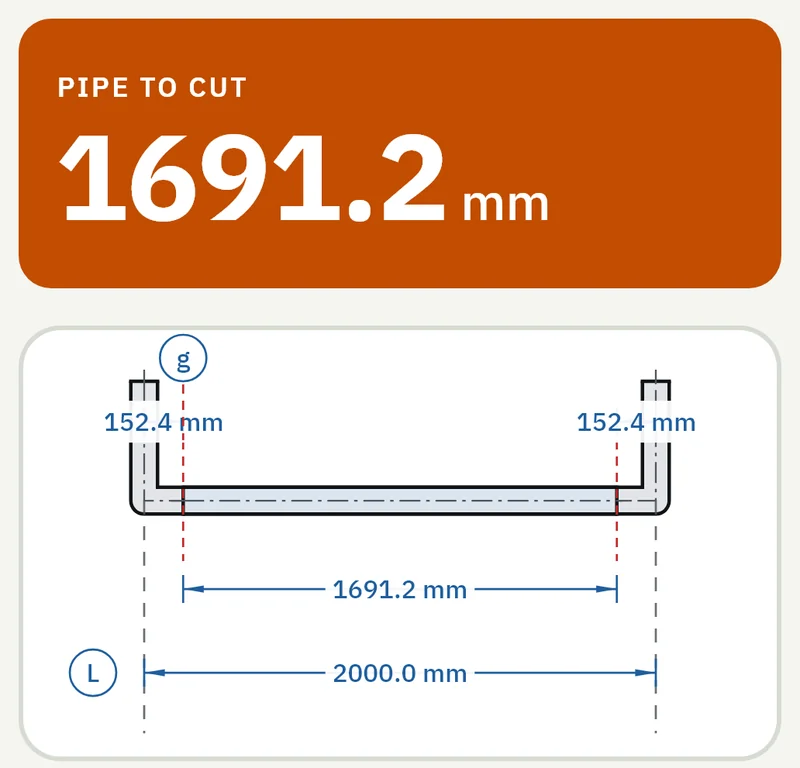
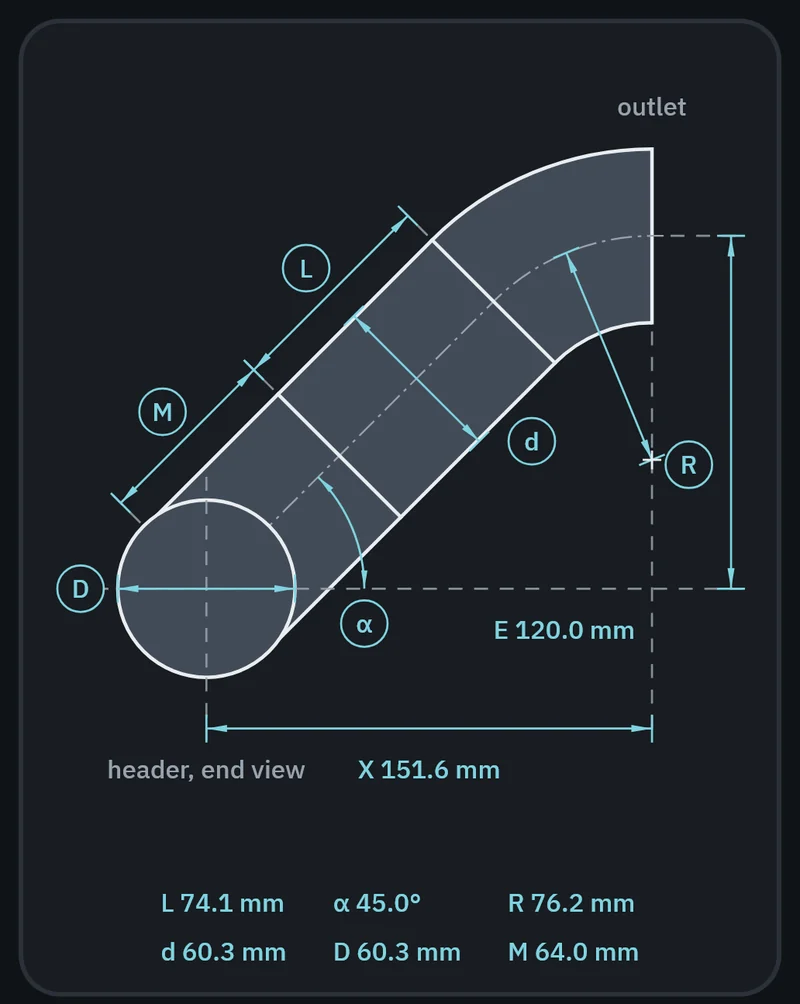
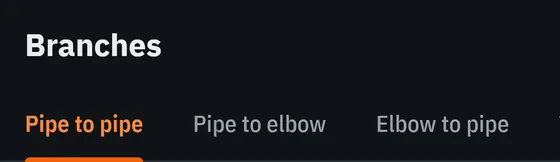
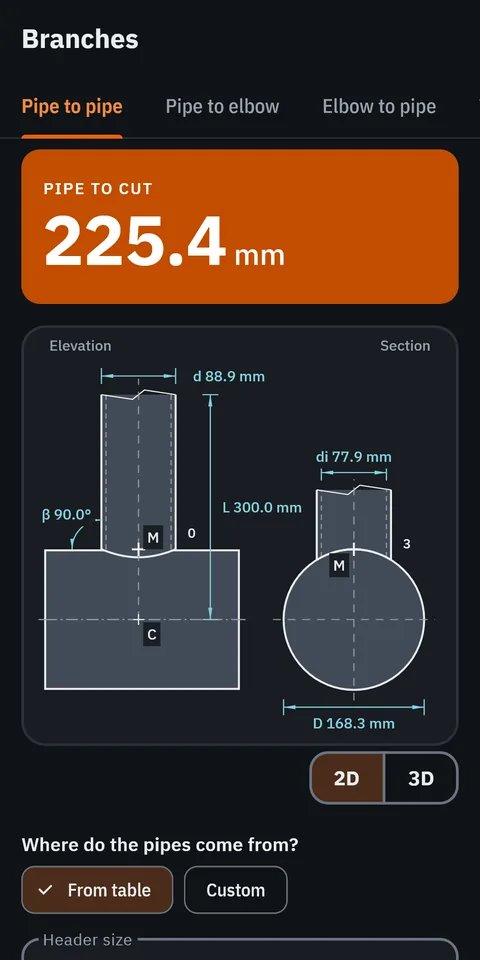
GeoMont screen “Branches · Pipe to pipe”, dark theme: elevation and section of a branch on a header, with their dimensions, and the result, pipe to cut.
Pipework · Rolled elbow Sheet metal · Hopper Offsets · Offset with a cut elbow Branches · Pipe to pipe Real screens from version 2.0, in development.

Version 1.2 is in closed testing on Google Play. Version 2.0 is in development.

Screens from the app

Fourteen screens, exactly as the app draws them.

Real screens from version 2.0, in development. The strip stops while the pointer or a finger is on it.Scroll the strip sideways to see them all.

  • GeoMont screen “Pipework · Rolled elbow”, dark theme: a pipe between two 45° elbows in a 3D box with its dimensions, and the result, pipe between elbows.
    Rolled elbowPipework
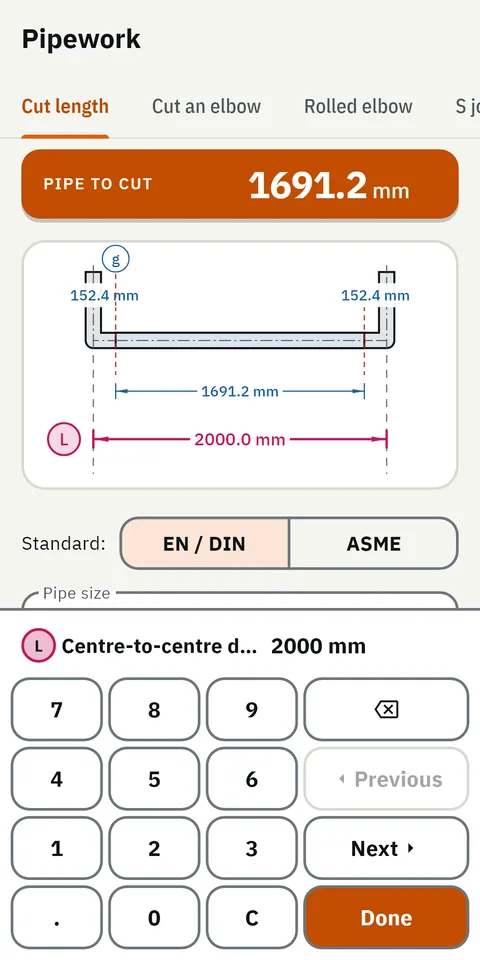
  • GeoMont screen “Pipework · Cut length”, light theme: the dimension keypad open on the centre-to-centre field, which is highlighted on the drawing.
    Cut length · dimension keypadPipework
  • GeoMont screen “Offsets · Offset with a cut elbow”, dark theme: an offset made with a cut elbow, drawn with its angle, its nipple, its rise and its advance, and the result, elbow angle.
    Offset with a cut elbowOffsets
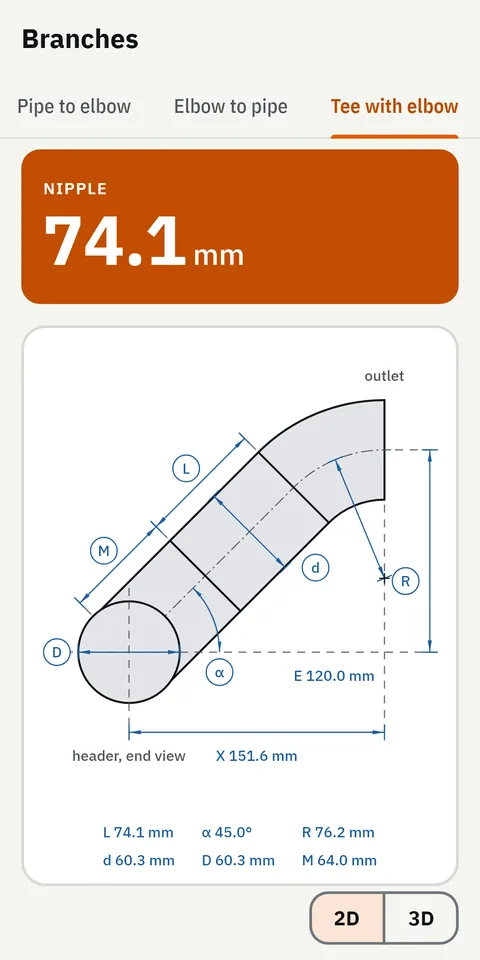
  • GeoMont screen “Branches · Tee with elbow”, light theme: a tee with an elbow on its outlet, drawn with its dimensions, and the result, nipple.
    Tee with elbowBranches
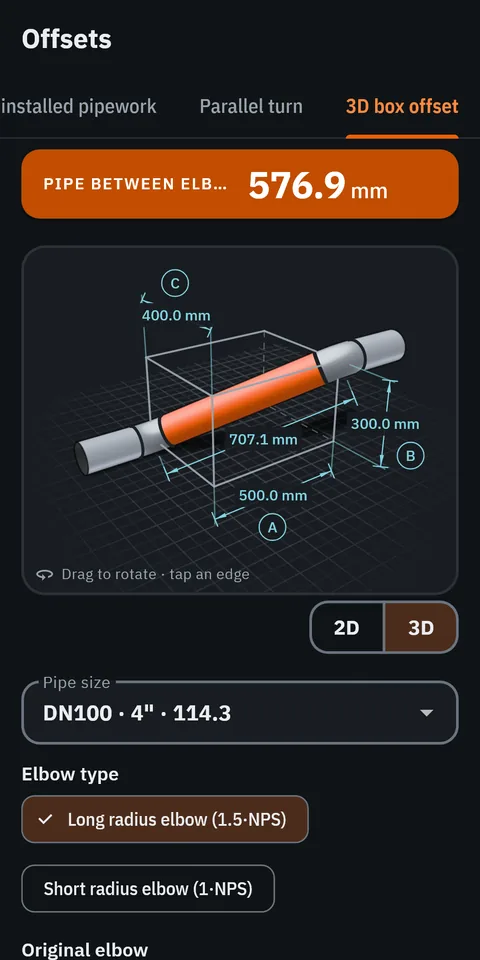
  • GeoMont screen “Offsets · 3D box offset”, dark theme: the 3D view of an offset inside its box, with its three dimensions.
    3D box offset · 3D viewOffsets
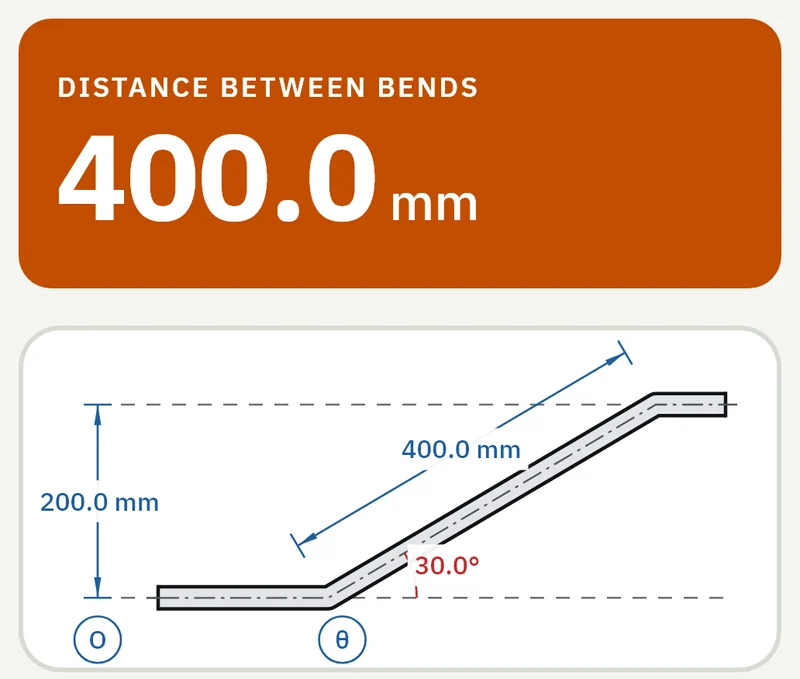
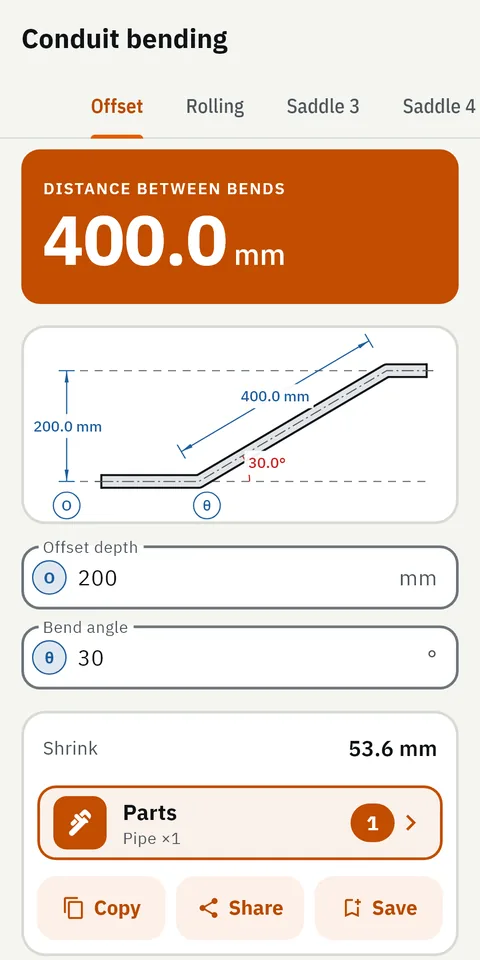
  • GeoMont screen “Conduit bending · Offset”, light theme: an offset bend drawn with its depth and its angle, and the result, distance between bends.
    OffsetConduit bending
  • GeoMont screen “Branches · Pipe to pipe”, dark theme: elevation and section of a branch on a header, with their dimensions, and the result, pipe to cut.
    Pipe to pipeBranches
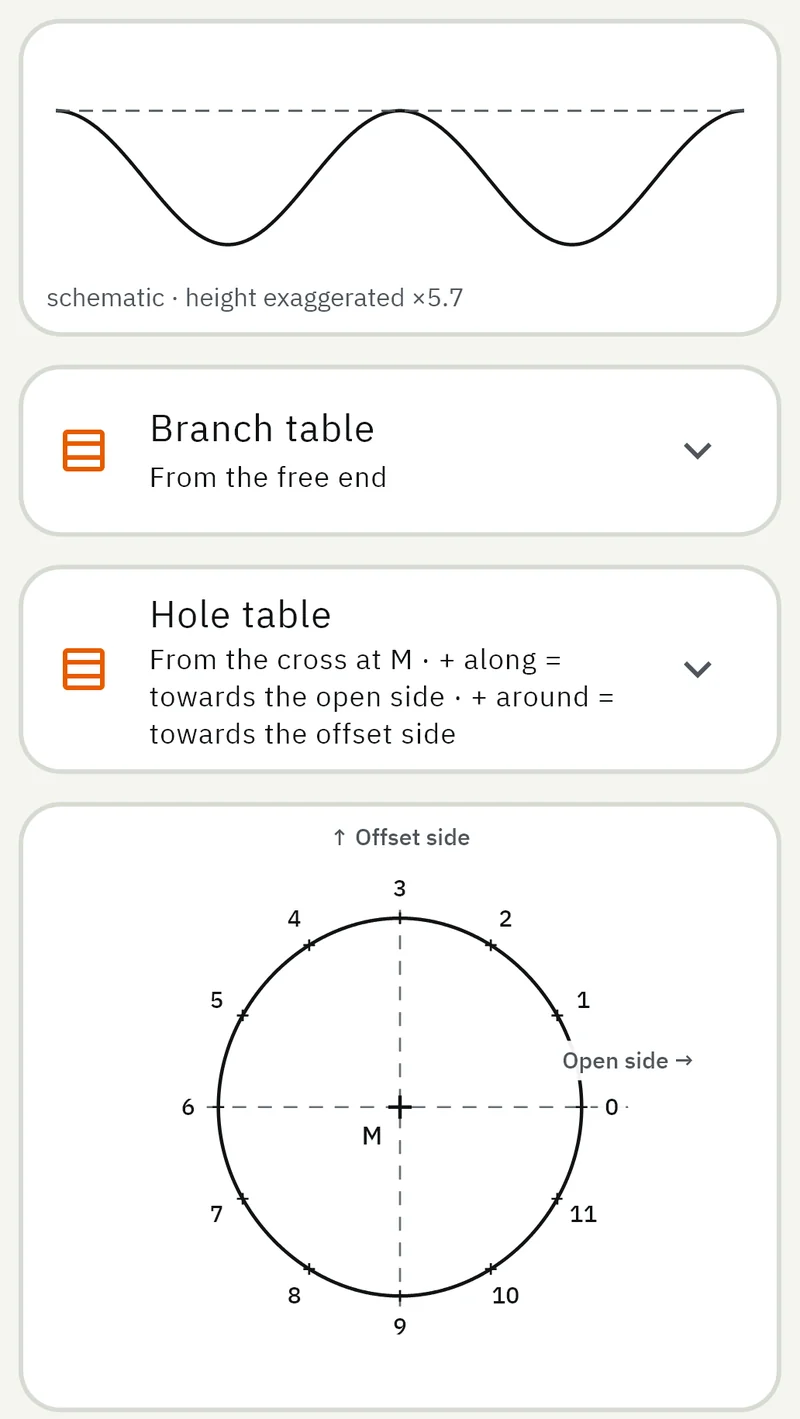
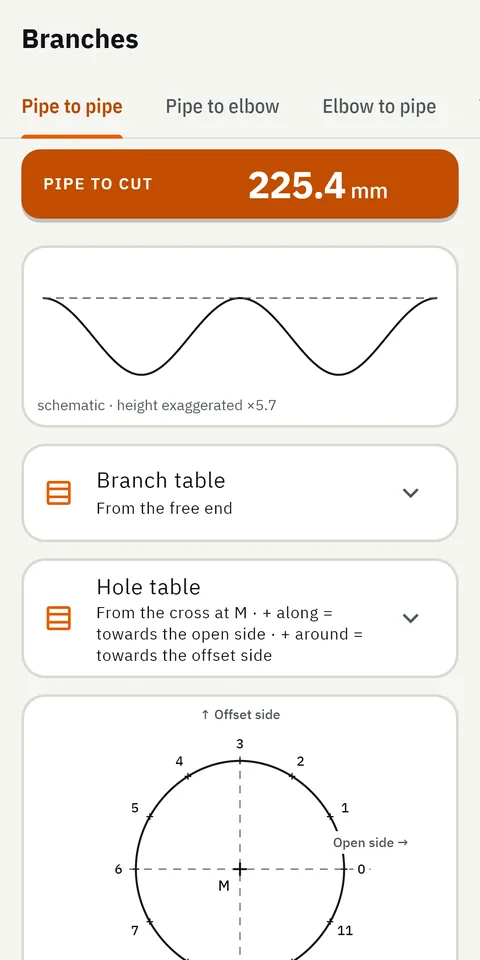
  • GeoMont screen “Branches · Pipe to pipe”, light theme: the developed template of the branch, the tables of ordinates and the pattern of the hole.
    Pipe to pipe · templateBranches
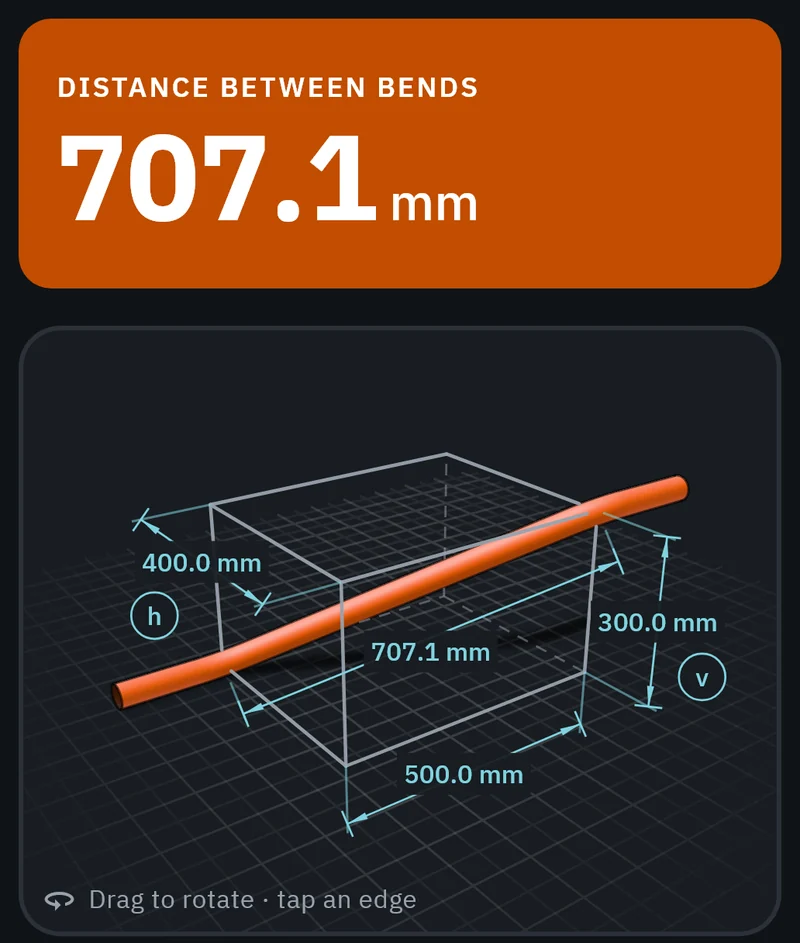
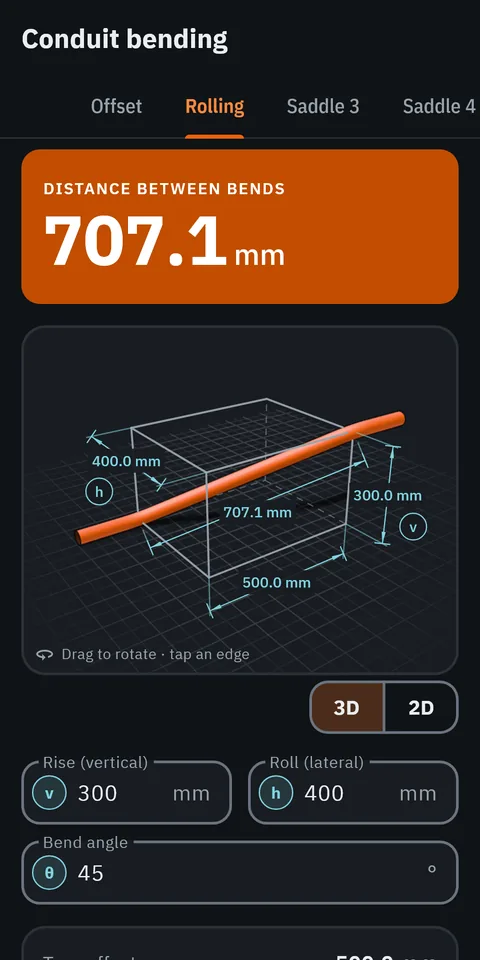
  • GeoMont screen “Conduit bending · Rolling”, dark theme: a rolling offset in a 3D box with its dimensions, and the result, distance between bends.
    RollingConduit bending
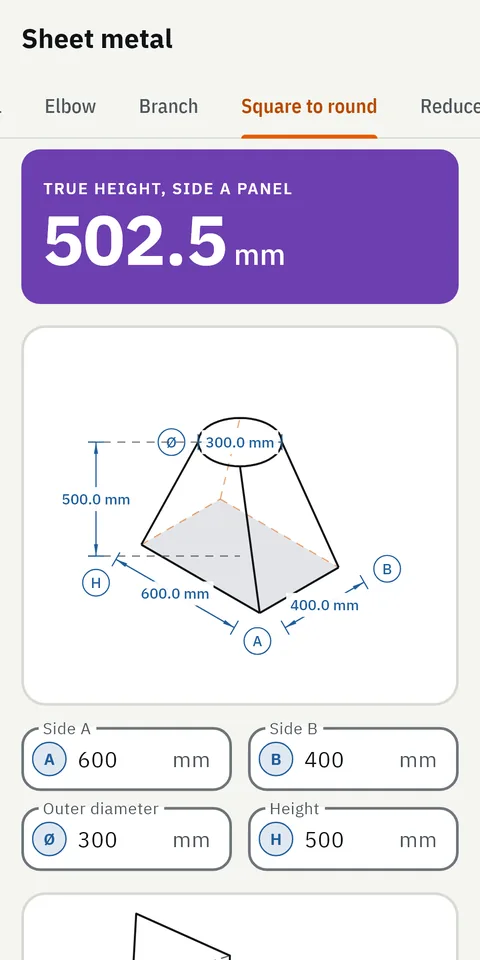
  • GeoMont screen “Sheet metal · Square to round”, light theme: a square-to-round transition drawn in perspective, and the result, true height of a panel.
    Square to roundSheet metal
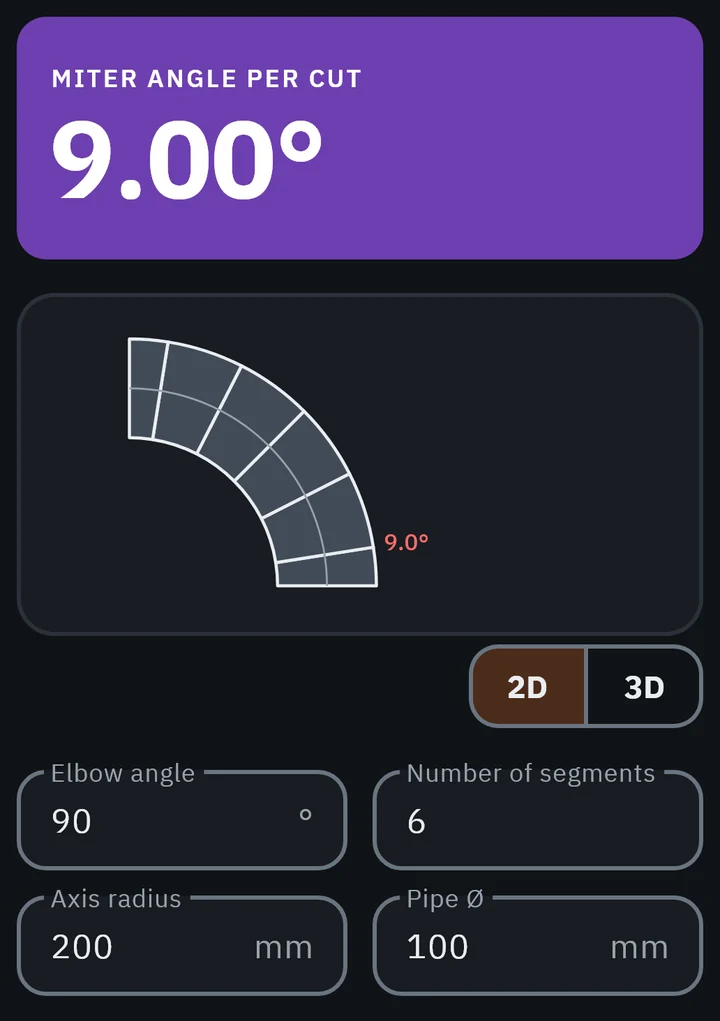
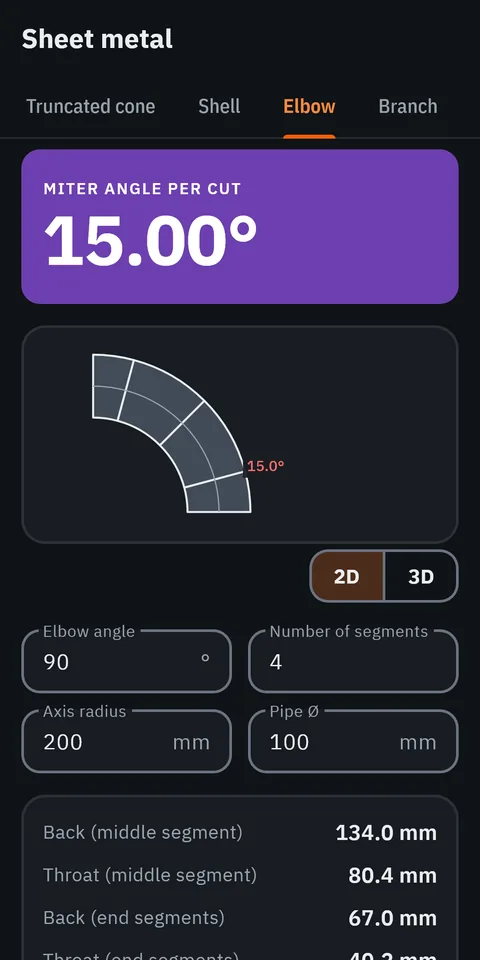
  • GeoMont screen “Sheet metal · Elbow”, dark theme: a 90° elbow made of four segments, and the result, miter angle per cut.
    ElbowSheet metal
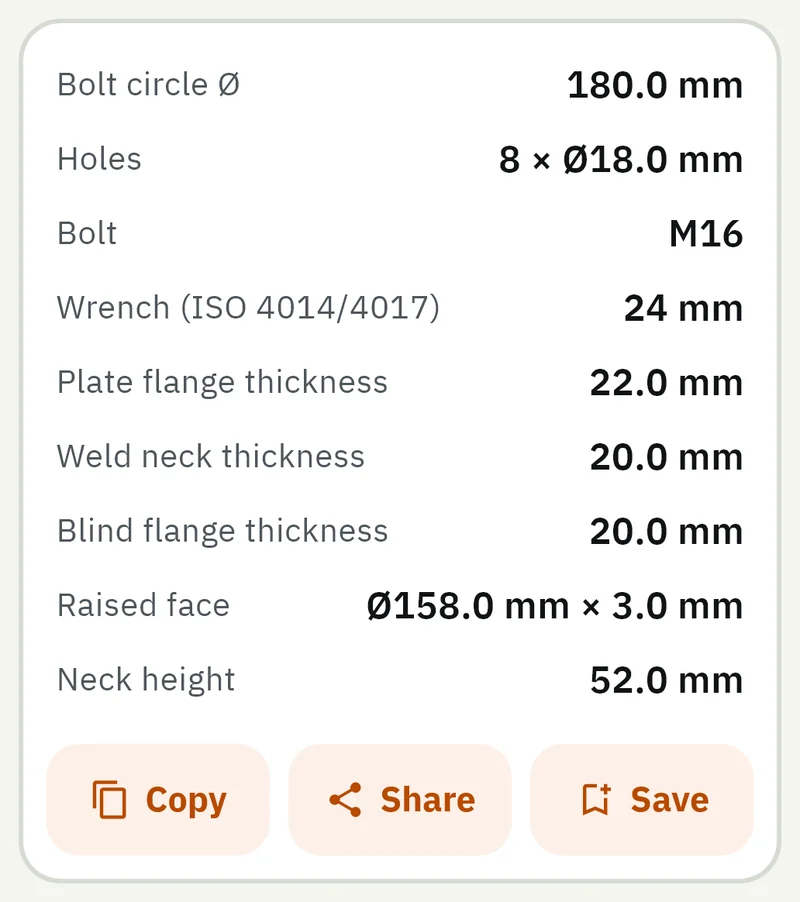
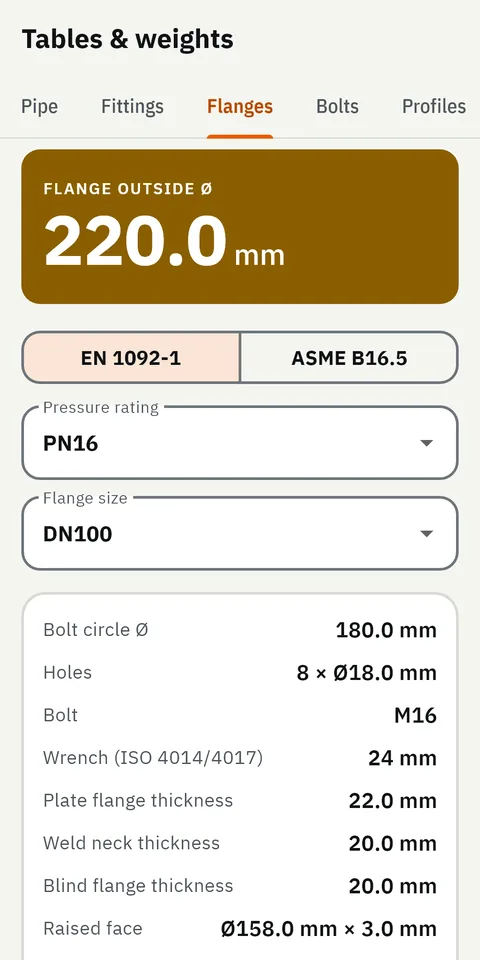
  • GeoMont screen “Tables & weights · Flanges”, light theme: the dimensions of a DN100 PN16 flange to EN 1092-1.
    FlangesTables & weights
  • GeoMont screen “Sheet metal · Hopper”, dark theme: a hopper drawn in perspective with its dimensions, and the result, shortest corner edge.
    HopperSheet metal
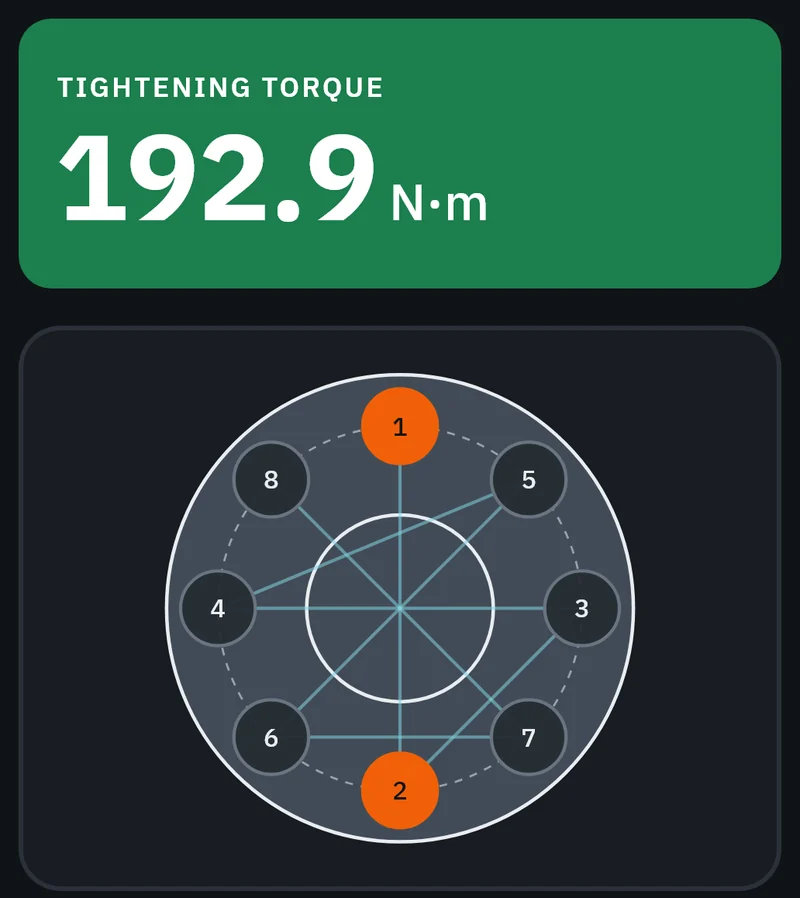
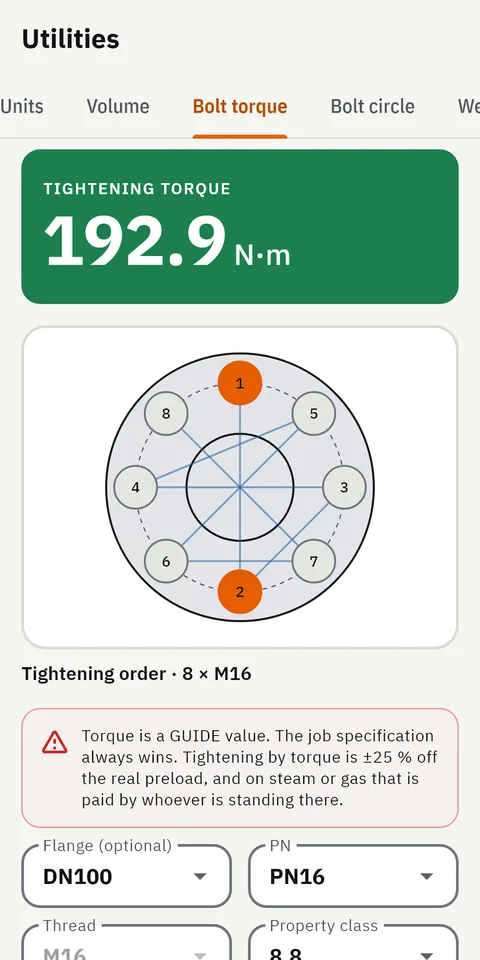
  • GeoMont screen “Utilities · Bolt torque”, light theme: the tightening order of a flange with eight bolts, and the result, tightening torque.
    Bolt torqueUtilities

What it calculates

Every calculation has its own screen, with its drawing.

The figure to cut or to mark stays at the top of the screen while the values are typed in. Below it come the dimensioned drawing, generated by code from the result, and the intermediate values.

The drawings below are parts of real screens from version 2.0, in development.

Pipework

The pipe to cut between two fittings, with the take-off of each one already deducted. Elbows cut to any angle, rolled elbows, S jogs, manifolds and branches on an elbow, and an estimate of the welding consumables.

  • Cut length
  • Cut an elbow
  • Rolled elbow
  • S jog
  • Manifold
  • Branch on elbow
  • Welding
Part of the GeoMont screen “Pipework · Rolled elbow”, dark theme: the result, pipe between elbows, and the 3D box with the pipe and its dimensions.
Pipework · Rolled elbowVersion 2.0, in development
Part of the GeoMont screen “Pipework · Cut length”, light theme: the result, pipe to cut, and the pipe between two elbows with its dimensions.
Pipework · Cut lengthVersion 2.0, in development

Offsets

Offsets made with standard elbows cut to the angle the job needs. GeoMont gives the elbow angle, the nipple between the two elbows and the arcs to mark along the back and the throat, with a 2D drawing and, in most tabs, a 3D view.

  • Offset with a cut elbow
  • S-offset with two cut elbows
  • Corner with two elbows
  • Mitered offset
  • Check installed pipework
  • Parallel turn
  • 3D box offset
Part of the GeoMont screen “Offsets · Offset with a cut elbow”, light theme: the drawing of an offset made with a cut elbow: its angle, its nipple, its rise and its advance.
Offsets · Offset with a cut elbowVersion 2.0, in development
Part of the GeoMont screen “Offsets · 3D box offset”, dark theme: the 3D view of an offset inside its box, with its three dimensions.
Offsets · 3D box offsetVersion 2.0, in development

Branches and cut-outs

Pipe to pipe, pipe to elbow, elbow to pipe and tee with elbow. Elevation and section drawings, the developed template of the branch and of the hole, a table of ordinates to mark the cut without a printer, and a printable template at 1:1 scale.

  • Pipe to pipe
  • Pipe to elbow
  • Elbow to pipe
  • Tee with elbow
Part of the GeoMont screen “Branches · Tee with elbow”, dark theme: the drawing of a tee with an elbow on its outlet, with its dimensions.
Branches · Tee with elbowVersion 2.0, in development
Part of the GeoMont screen “Branches · Pipe to pipe”, light theme: the developed template of the branch, the two tables of ordinates and the pattern of the hole with its numbered points.
Branches · Pipe to pipeVersion 2.0, in development

Bending

Offsets, rolling offsets, three- and four-bend saddles, 90° bends and large radii. The distance between bends, the shrink and where each mark goes on the tube.

  • Offset
  • Rolling
  • Saddle 3
  • Saddle 4
  • 90° / Arc
  • Radius
Part of the GeoMont screen “Conduit bending · Offset”, light theme: the result, distance between bends, and the offset drawn with its depth and its angle.
Conduit bending · OffsetVersion 2.0, in development
Part of the GeoMont screen “Conduit bending · Rolling”, dark theme: the result, distance between bends, and the rolling offset in a 3D box.
Conduit bending · RollingVersion 2.0, in development

Sheet-metal developments

Cones and truncated cones, shells, segmented elbows, square-to-round transitions, reducers, hoppers, screw flights and breeches. The flat pattern is drawn on screen and comes out as a PDF template at 1:1 scale.

  • Bend
  • Cone
  • Truncated cone
  • Shell
  • Elbow
  • Branch
  • Square to round
  • Reducer
  • Hopper
  • Screw flight
  • Breeches
Part of the GeoMont screen “Sheet metal · Hopper”, dark theme: the result, shortest corner edge, and the hopper drawn in perspective with its dimensions.
Sheet metal · HopperVersion 2.0, in development
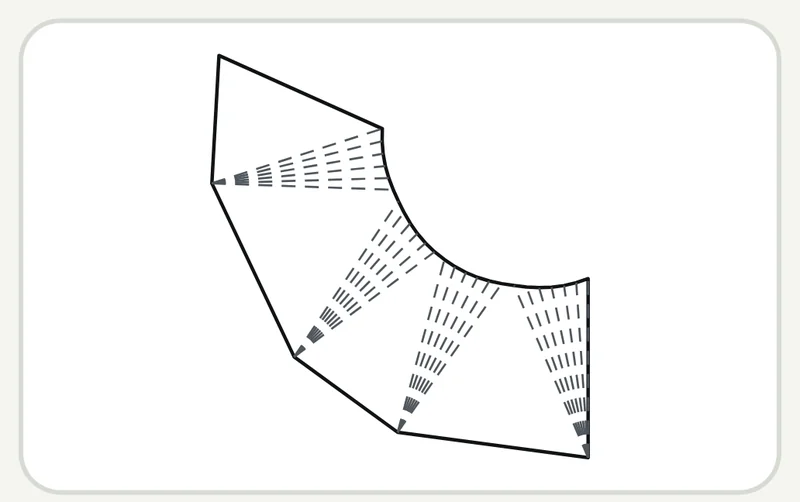
Part of the GeoMont screen “Sheet metal · Square to round”, light theme: the flat pattern of a square-to-round transition, with its fold lines.
Sheet metal · Square to roundVersion 2.0, in development

Tables and weights

Pipe, fitting and flange tables to EN/DIN and ASME, bolt data, and the weight of pipes, profiles, tubes and solid bars. Also bolt torque with the tightening order, bolt-circle marking, support spacing and thermal expansion.

  • Pipe
  • Fittings
  • Flanges
  • Bolts
  • Profiles
  • Tubes
  • Solids & plate
  • Units
  • Volume
  • Bolt torque
  • Bolt circle
  • Weight & supports
  • Thermal expansion
  • Workshop inches
Part of the GeoMont screen “Tables & weights · Flanges”, light theme: the table of a DN100 PN16 flange: bolt circle, holes, bolt, wrench and thicknesses.
Tables & weights · FlangesVersion 2.0, in development
Part of the GeoMont screen “Utilities · Bolt torque”, dark theme: the result, tightening torque, and the tightening order drawn on a flange with eight bolts.
Utilities · Bolt torqueVersion 2.0, in development

Change a value

Change a value and the drawing is redrawn.

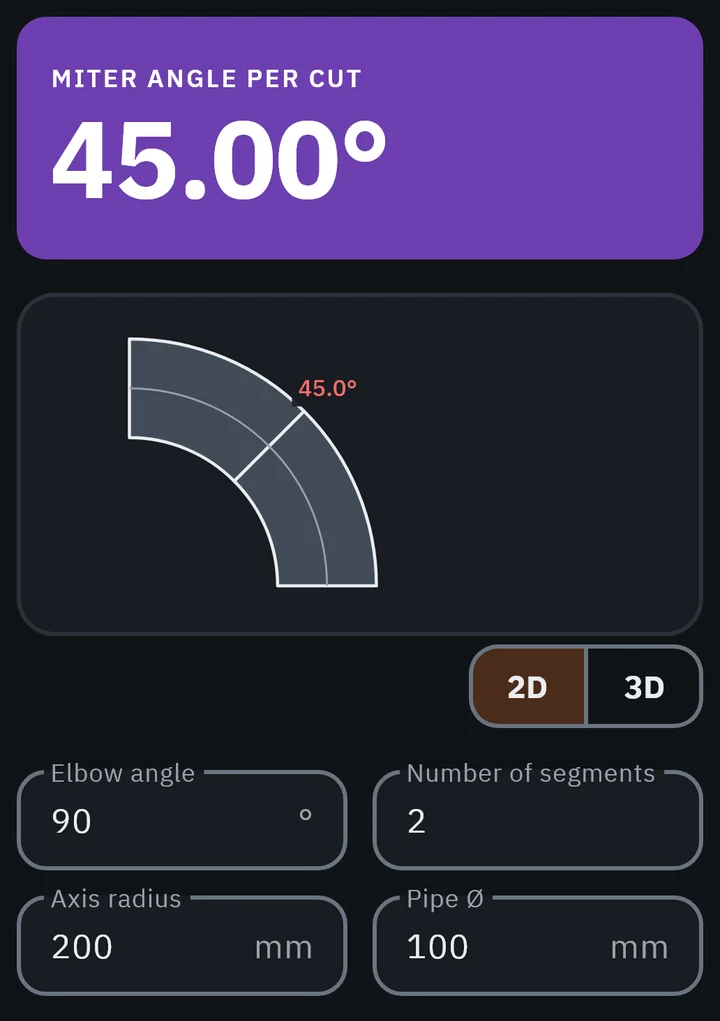
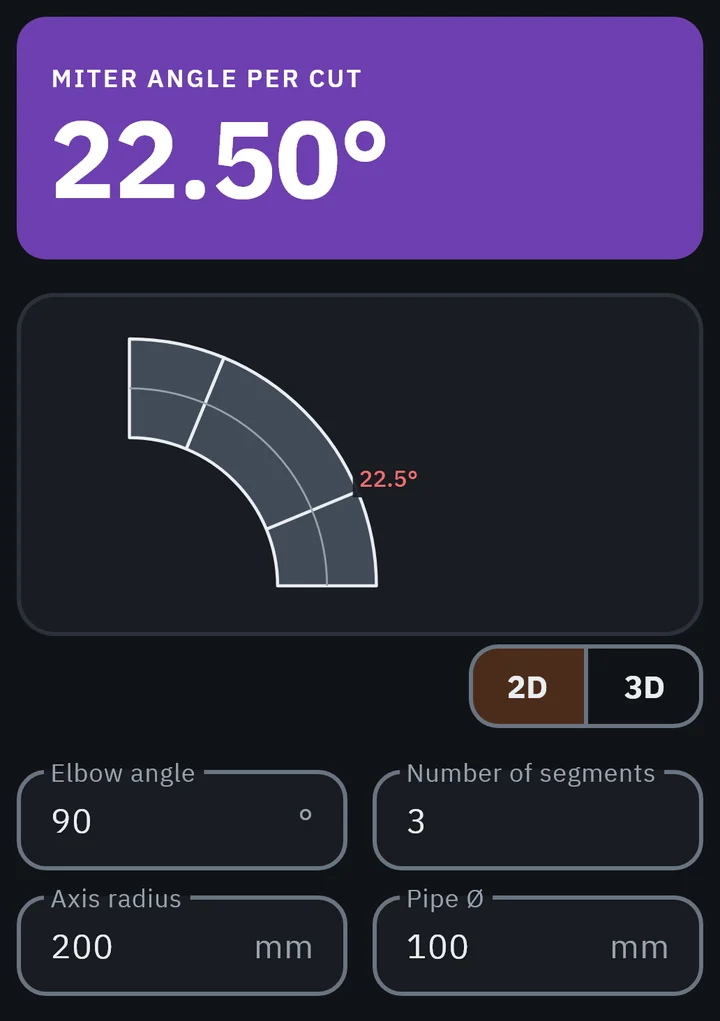
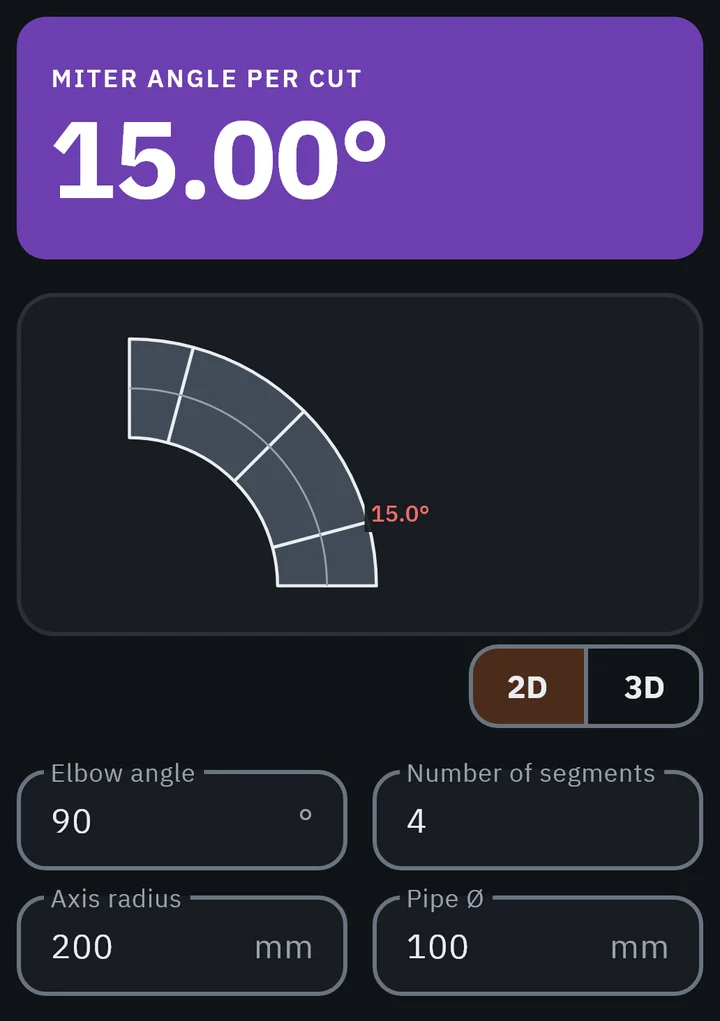
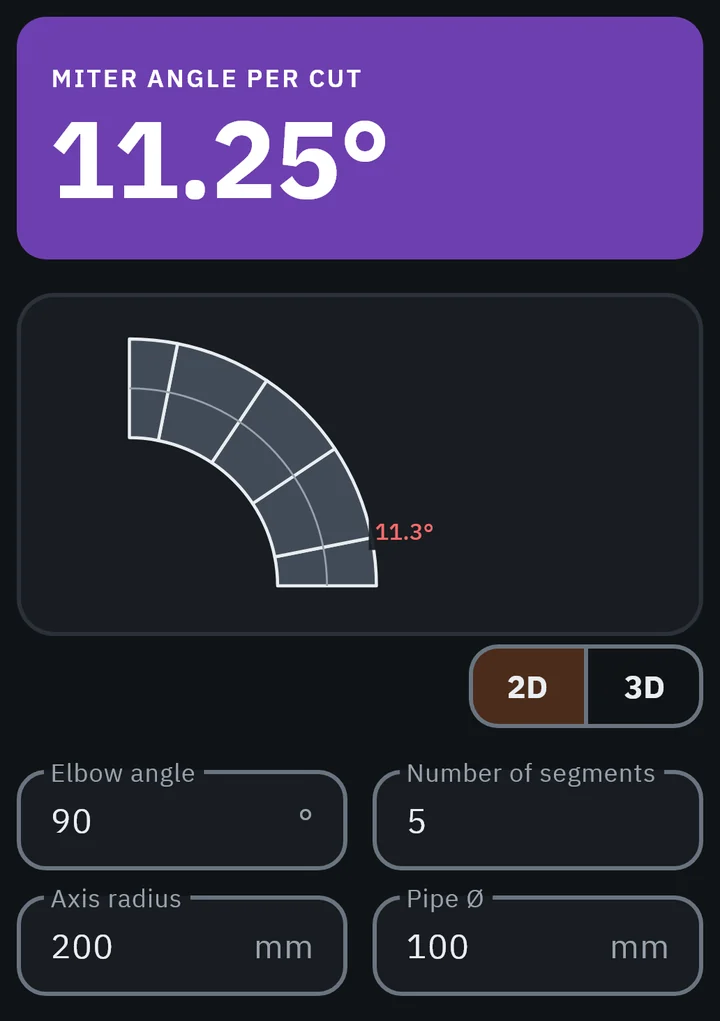
These are five real frames of one tab, Sheet metal · Elbow: the same 90° elbow made with two, three, four, five and six segments.

Each time, the calculation engine works the figures out again and the drawing is generated from them. The drawing is not a stored picture: the code draws it.

  1. Segments
  2. 2
  3. 3
  4. 4
  5. 5
  6. 6
GeoMont screen “Sheet metal · Elbow”, dark theme, with 2 segments: the miter angle per cut, the elbow drawn with its segments and the fields with the values. GeoMont screen “Sheet metal · Elbow”, dark theme, with 3 segments: the miter angle per cut, the elbow drawn with its segments and the fields with the values. GeoMont screen “Sheet metal · Elbow”, dark theme, with 4 segments: the miter angle per cut, the elbow drawn with its segments and the fields with the values. GeoMont screen “Sheet metal · Elbow”, dark theme, with 5 segments: the miter angle per cut, the elbow drawn with its segments and the fields with the values. GeoMont screen “Sheet metal · Elbow”, dark theme, with 6 segments: the miter angle per cut, the elbow drawn with its segments and the fields with the values.
Sheet metal · ElbowVersion 2.0, in development

In 3D

A 3D view that turns under the finger.

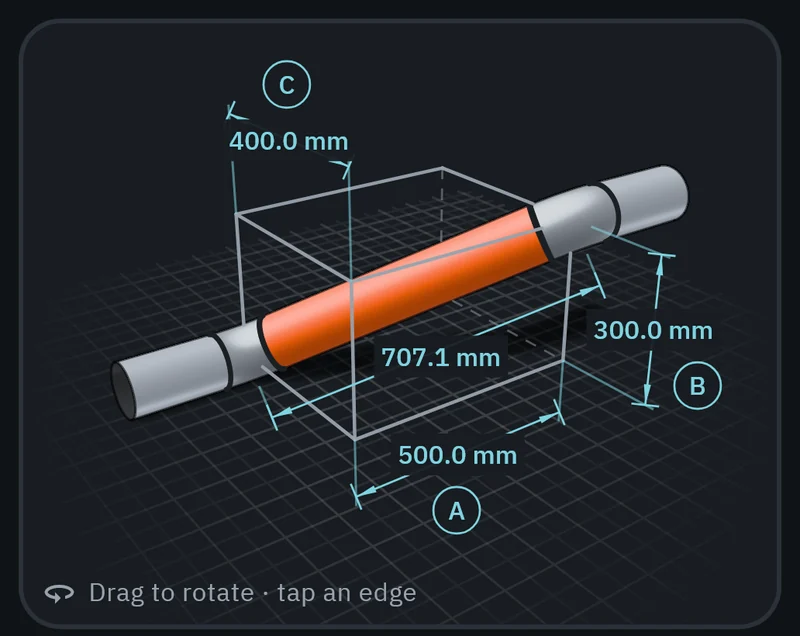
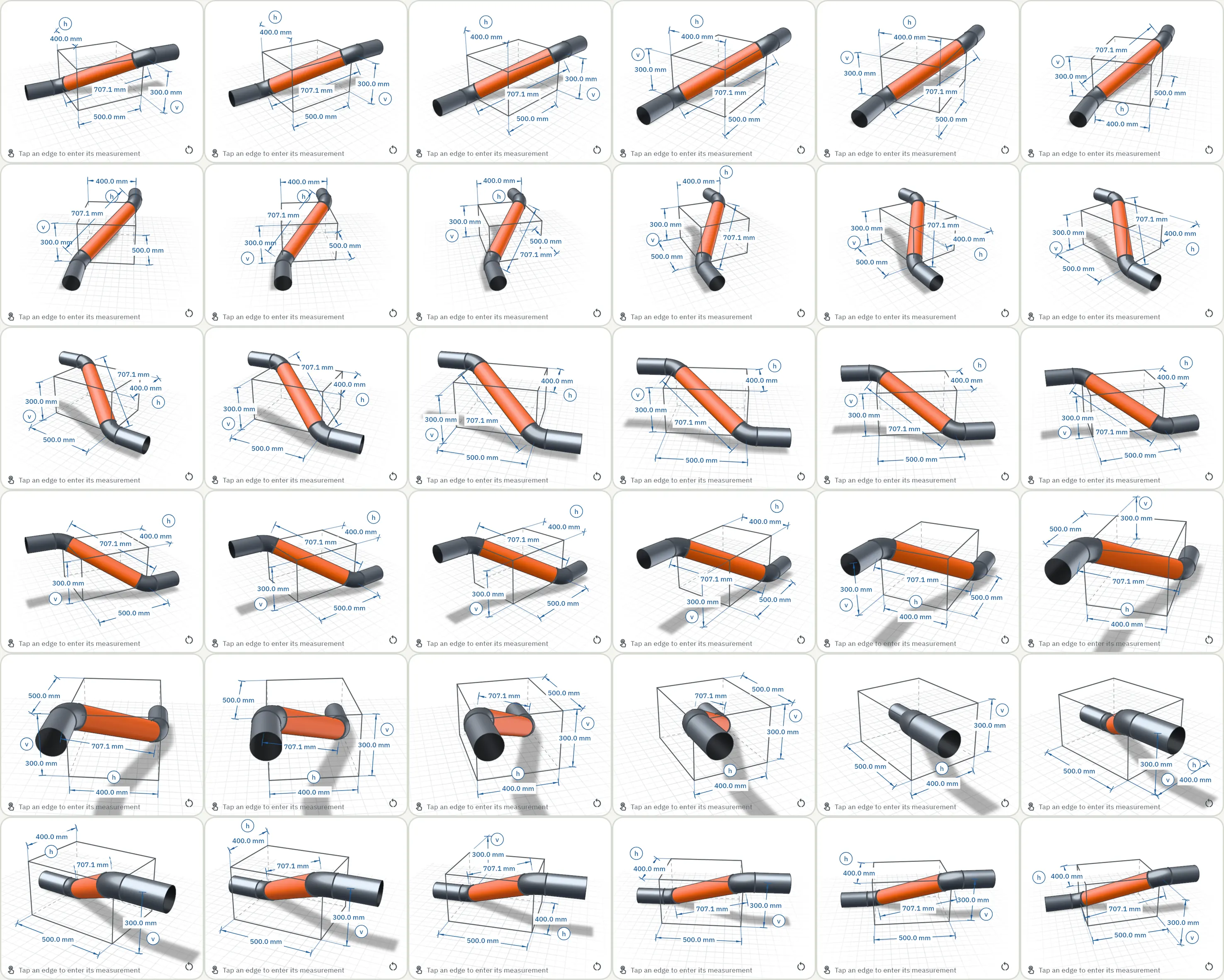
Real frames from the 3D viewer of the app, in Pipework · Rolled elbow: one full turn, one frame every 10°.

The dimensions move with the piece so that they can be read from any side. Tapping an edge of the box lets you type its measurement.

The 3D view of GeoMont in “Pipework · Rolled elbow”: a pipe between two 45° elbows inside a box, with the rise, the roll and the length of the pipe dimensioned. On the page it turns a full circle.
Pipework · Rolled elbowVersion 2.0, in development

Why the figures can be trusted

Automated tests · version 2.0

≈ 3,800

Figures
Each one comes from GeoMont’s own calculation engine, which has its own tests
Drawings
Dimensioned shop drawings, generated by code
Connection
Needed to sign in to your account. The math runs on the phone, with or without signal

Status and how to try it

  • Version 1.2 In closed testing on Google Play
  • Version 2.0 In development

There is no public download link yet. To try GeoMont, write to info@geomont.app.

Write to info@geomont.app

How it is built

GeoMont is made by one independent developer, working alone and self-funded.

It is built with Claude Code.

Planned for version 2.0 · not working yet

  • Using Claude to recognise piping symbols in a photo.
  • Using Claude to turn an isometric drawing into a parts list.

The model only identifies and fills in fields. The user confirms, and the tested engine does the math.